
Audio Convert Merge Free allows you to join different MP3 music files into a larger one with fast speed and no quality loss. With the software, you can join or combine multiple MP3 music files into one non-stop audio CD in a split second. It works with audio files directly and the joined MP3 song will be ready almost instantly. Now you can listen to your MP3 music without interruption.
What is Bitrate?
A “bit” is simply a piece of information processed by a computer. So bitrate literally means the number of “bit”processed per interval of time. In case of online video, bitrate is most commonly measured in kilobytes per second or“kbps”. Put a more technical way, bitrate is the amount of pixel information in each frame of video. So the more bitrate you add, the more detailed and vibrant each frame of video will be. It’s also directly related to file size, so the higher your bitrate, the larger your video file.
To join the audio files, an audio joiner will have to convert all the input files to the same bitrate.
MP3 Music Joining Guide
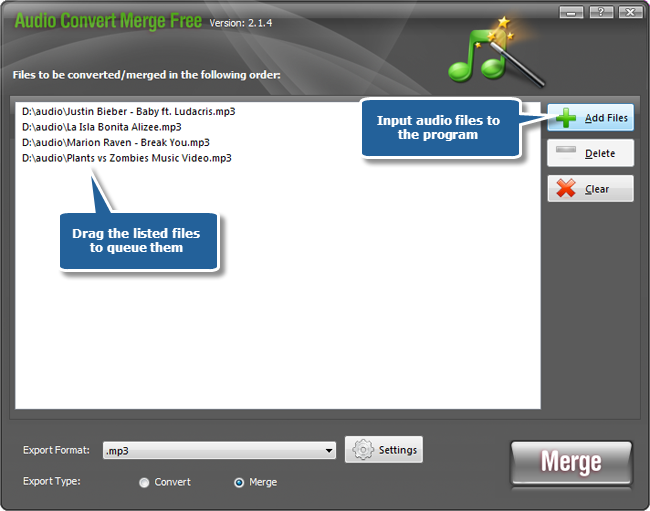
1. Launch Audio Convert Merge Free. Add MP3 files to the merging list by clicking “Add Files”. What’s more, you can just simply drag & drop or copy & paste the files to the task list. It is available to adjust the sequence of merging list by dragging the added files. Click “Delete” or “Clear” button to remove one or all the added files if needed.
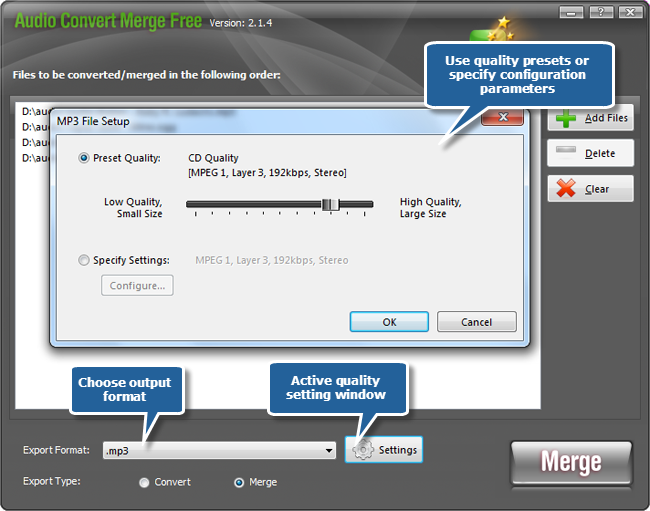
2. Choose an output format among MP3, WAV, WMA and OGG from the dropdown menu of “Export Format”. Furthermore, you are able to adjust the output quality with the well-configured presets or specify the configuration parameters to meet your demands.
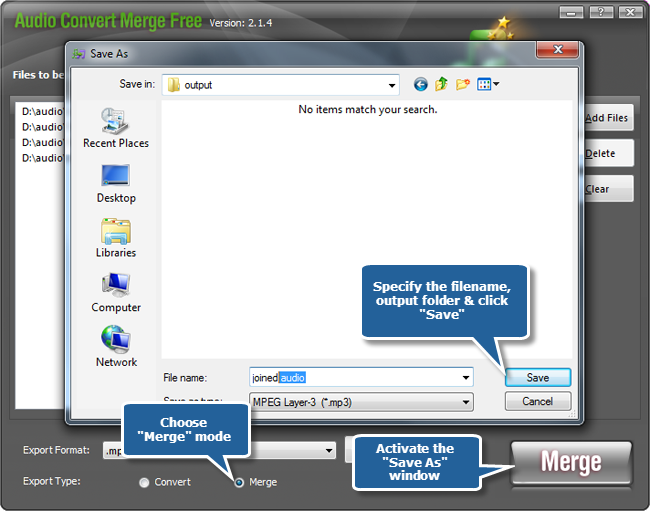
3. After adjusting output settings, choose the “Merge” mode from the “Export Type”. Click “Merge” to select the output folder and give a filename for the joined MP3 music in the browser window and click “Save” to start joining MP3 music. The audio files are completely joined when the process bar disappears. Now, you can enjoy the joined MP3 music on your MP3 player.
To convert the audio files, just choose “Convert” mode & the added files will be converted one by one to the specified output folder and format.