MP3 format is so widely used that almost all modern media devices can read it. We understand that it can be very useful to convert other formats to MP3 for its universal compatibility. But why people need to convert MP3 to WMA?
WMA is an audio format developed by Microsoft, which is also a very popular format on Windows computer. Comparatively, it provides better sound quality while taking up less storage space, especially when the audio bit rate is lower than 128k. So WMA is a better format for mass audio storage. Just convert your MP3 files to WMA with Free Mp3/Wma/Ogg Converter easily!
MP3 to WMA Conversion Guide
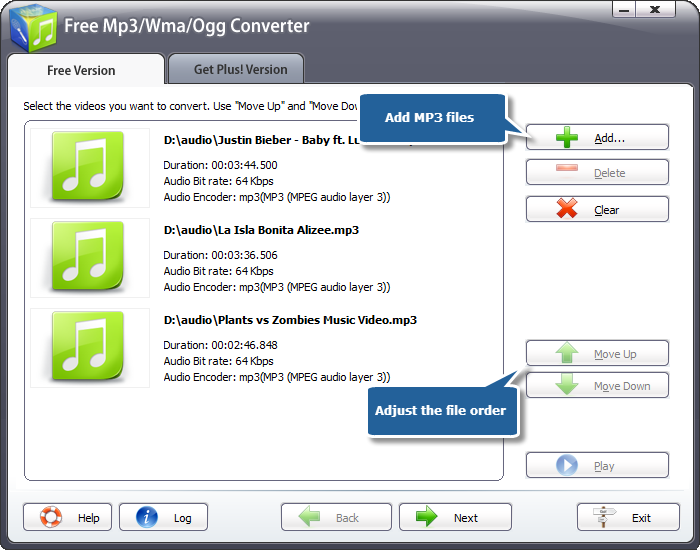
1. Launch Free Mp3/Wma/Ogg Converter. You can see the converter interface with the instruction for your operation. Click “Add…” to add one or more MP3 files to the list. The detailed info of the files will display in the window. You can also click “Delete” to remove the files unwanted and “Clear” to remove all the files listed. Task order can be arranged by “Move Up” and “Move Down”.
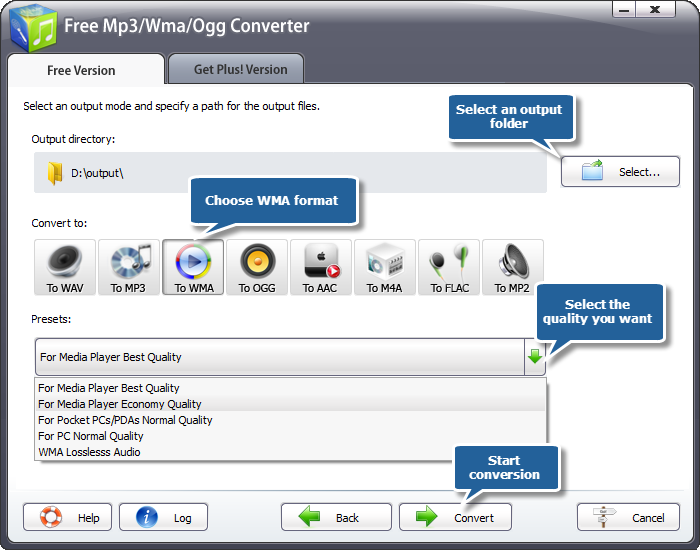
2. You can choose the output path from your computer by clicking “Select…” button. There are several buttons for you to choose output formats. Choose “To WMA” as an output format. Then you should select a preset to adjust the output quality as needed from the dropdown list of the “Presets”.
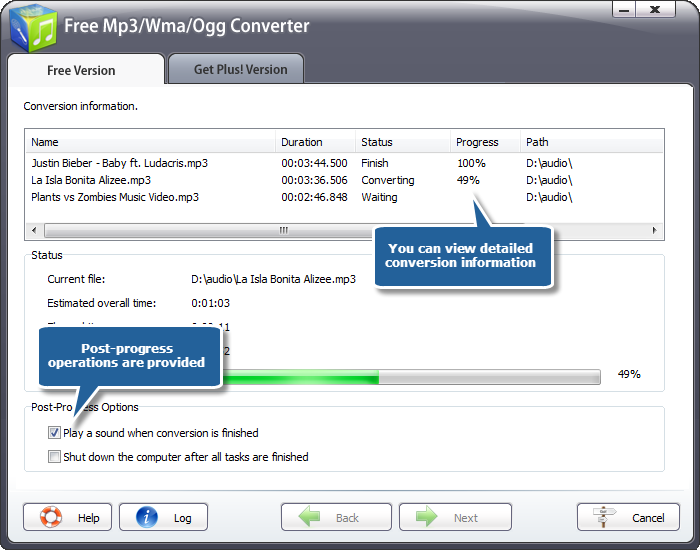
3. After you hit “Convert” button, some conversion information and a progress bar will be displayed within just few seconds, like the duration, status and progress of the conversion. You may choose to check the post-processing options to play a sound or shut down the computer when conversion is done.
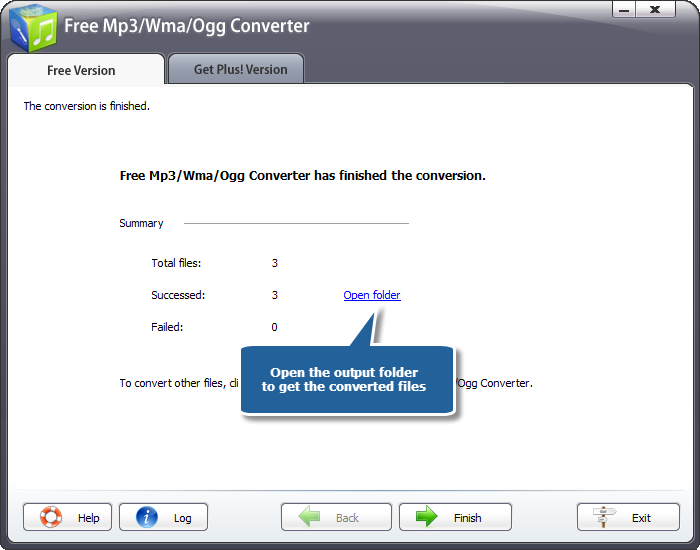
When the progress is complete, a general summary about the conversion will be displayed. You are allowed to directly open the output folder by clicking “Open folder” to get your WMA files.