How to Extract Audio from WMV Video
|
1. Download and install Audio Extractor for FREE to launch the program.
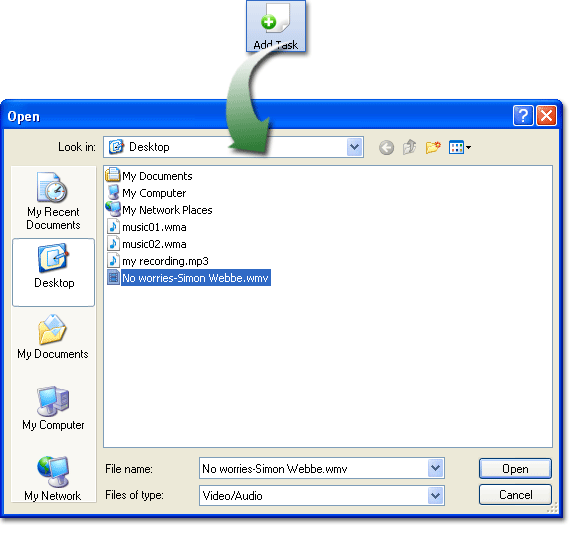
2. Click "Add Task" to select the WMV file to be extracted.
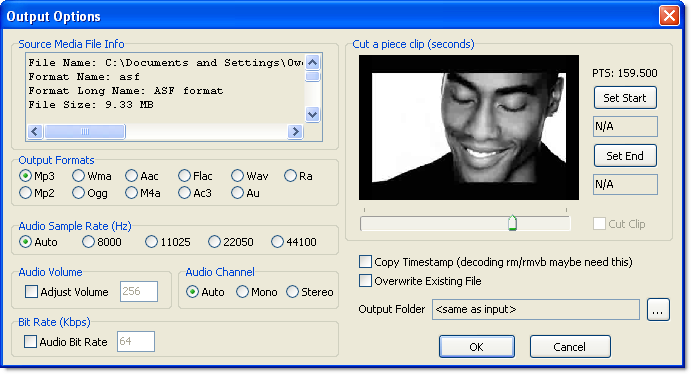
3. In the "Output Options" window, choose the output format and output folder. You can also adjust many other parameters as needed like sample rate, volume, bit rate, channel, etc.
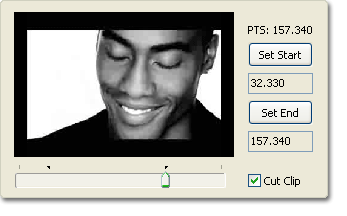
4. In this widow you can also preview the graphic of the input video and set the start and the end to cut a clip.
5. Click "Start" to extract. When processing is done, you can find the audio file in the output folder.
|
 |