
How to Extract Audio from Video?
Audio Extractor for FREE is an absolutely free application that extracts audio, sound, or background music from home movies,YouTube videos, or any other video file without loss of sound quality. …


Extract audio tracks from video files without loss of sound quality and save them as MP3, AAC, WMA, OGG or other format. You are able to extract main theme or favorite dialogue from a movie to play on music player. It supports all major video formats (AVI, FLV, MP4, MOV, RM, 3GP, WMV, VOB and other).

Convert audio files from one format to another directly without any temporary files, such as convert WAV to MP3 for music player, convert MP3 to OGG used as Ringtone for mobile phone and so on. It supports almost all familiar audio formats.

You are enabled to extract audios from multiple videos as it supports batch processing. Also you are allowed to add as many files as you want regardless of their import and target formats at once. It will automatically perform them one by one.

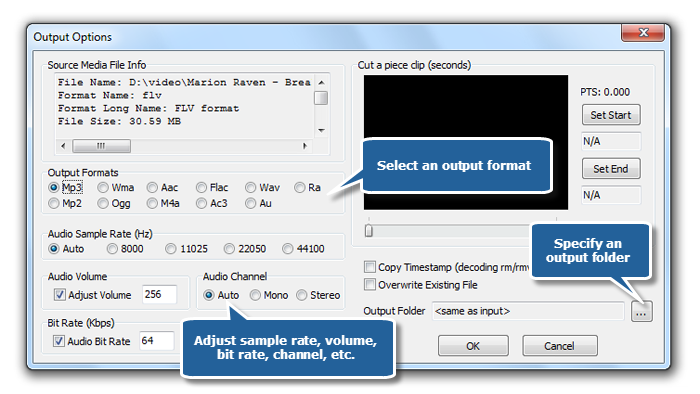
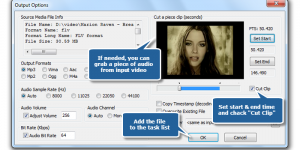
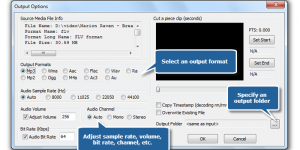
You are allowed to easily specify different output formats, volume, the bit rate and the sample rate as well as channels for every file at a batch. Meanwhile, you are able to visually define the time you want to split at by using slider bar or by setting the start/end time. A preview window is provided to help get right clip.

Batch conversion & dual-core or multi-core CPU supported and no temporary files produced achieve high converting speed. At the same time it economized a lot of hard disk resource.

Easy-to-use Explorer-like interface allows you easily navigate through audio files on your computer and perform all actions just by one mouse click even for elementary users.
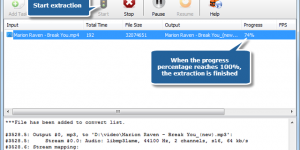
With Audio Extractor for Free allows to set the start and end time of the video sound that needs to be extracted. We like that you can choose your favorite settings once, and then forget about them. Extraction is easy (just hit the Start button), and file conversion is nearly instantaneous.


Audio Extractor for FREE is an absolutely free application that extracts audio, sound, or background music from home movies,YouTube videos, or any other video file without loss of sound quality. …
Audio Extractor for Free is an easy-to-use and totally free MP4 to MP3 converter. With this audio extractor, you are allowed to convert MP4 videos to interesting MP3 music with …
Want to extract funny audio part from a video and use them as ringtone in your mobile phone? Audio Extractor for Free will solve the problem. It is a free …
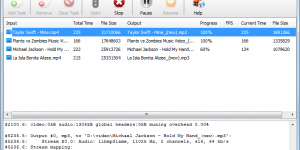
Completely Free Audio Extraction Audio Extractor for Free is a brand-new program to extract digital audio from a variety of video sources. It is absolutely free & you can extract …